Umbraco content model mapping
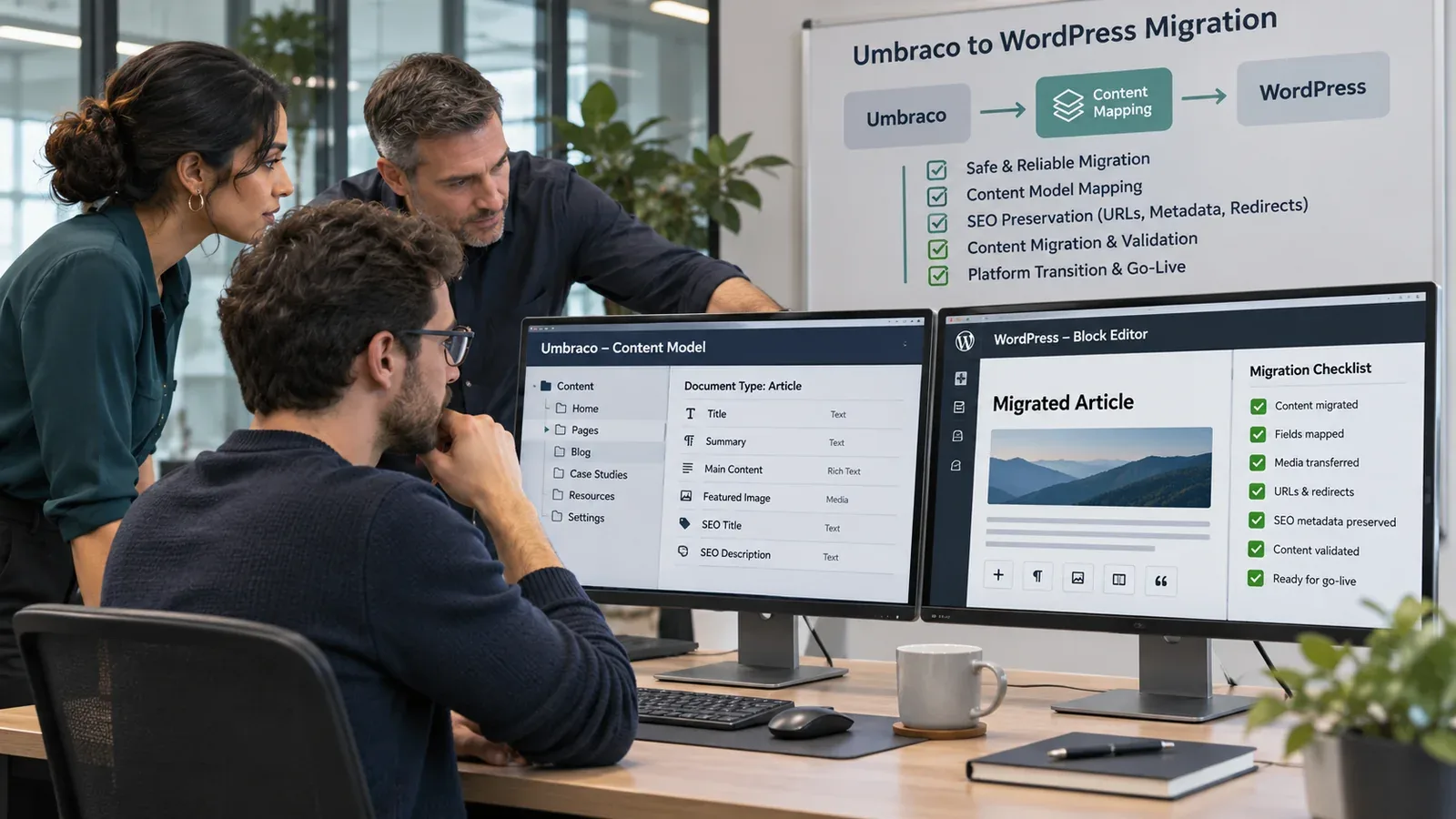
Umbraco Document Types define how editors structure pages and properties. A migration inventory should cover content nodes, Document Type aliases, property editors, compositions, data types, culture variants, published status and relationships. The official Umbraco content modeling documentation distinguishes these concepts and warns that dependent structures must be handled together.
Map a standard editorial article to a WordPress post only if its categories, relationship rules and publication workflow translate. Complex nested components may need custom blocks or structured meta rather than a large flat HTML field. Source IDs should be retained in an import ledger so repeated runs update the correct destination record rather than duplicating content.
For every field, record the source alias, data type, transformation, destination key, required/optional status and a sample validation. Resolve unsupported properties before full extraction begins, referencing the WordPress migration handbook and WordPress REST API handbook for programmatic import behavior.
WordPress redirect plan
Start from the public Umbraco URL inventory, not only the CMS tree. Include page paths, localized routes, query variants, media links and heavily linked legacy assets. Map each old address to a valid equivalent, or explicitly mark it for proper removal when no substitute exists. Google prefers direct server-side permanent redirects for URLs that genuinely move, according to its redirect guidance.
Avoid redirecting all retired pages to the home page, changing slugs just for style, or stacking multiple rewrite layers without tests. A US landing page and a UK page may use different copy and intent; preserve those relationships only if they exist. A Canadian bilingual site requires separate treatment of existing French and English paths, rather than assumed hreflang. Review Google site-move documentation before finalizing redirect rules.
Umbraco-to-WordPress Content Mapping Matrix
A migration must preserve content relationships and editorial functionality, not just rendered page text. The examples below are mapping decisions to verify against the actual Umbraco version and document types.
| Umbraco content element | Possible WordPress destination | Mapping decision | QA evidence |
|---|---|---|---|
| Document type and node | Page, post, or custom post type | Map one source type to a reviewed destination type | Source ID ↔ destination ID reconciliation |
| Title and rich-text fields | Post title and blocks/body content | Preserve headings, embeds and editorial structure | Field-level comparison and rendered preview |
| Media references and crop variants | Media library and responsive attachments | Map media IDs, usage, filenames, captions and alt text | Broken-asset audit and responsive image test |
| Nested content/relationships | Blocks, taxonomies or custom fields | Keep reusable components and relations intentional | Relationship and template test records |
| URL and localization fields | Permalinks, redirects, localized URLs where real | Preserve valuable URLs or map direct redirects | URL map, status and canonical check |
| SEO and structured metadata | Title/description fields and JSON-LD outputs | Restore only valid metadata that matches visible content | Rendered metadata and schema validation |
Media path migration
Export media items and every content property that references them. In Umbraco, media is often selected through a Media Picker and referenced by ID; the destination WordPress media library must repair those connections, not just copy filenames. Umbraco’s content delivery API can expose published content and related properties on supported versions and configurations, but it is not itself a full migration tool.
Test images, downloadable files, metadata, responsive renditions, embeds and document links after import. Some paths may be embedded in RTE HTML, CSS or custom code rather than exposed as ordinary image fields. Validate on the actual rendered page and watch for 404s in access logs after launch.
Worked test case
Example to document, not an observed result: an Umbraco content tree has nested service pages and image crops. Write the input and permitted action, test an ordinary path and one denied or failed path, then capture page URL, WP/PHP versions, environment, role, change ID, dated test result and restore point. If the expected and observed states disagree, keep the case open instead of changing the success criteria after the test.
Structured data preservation
Capture rendered metadata and structured-data blocks before the move. Map page titles, meta descriptions, OG tags, canonical URLs and any JSON-LD that accurately describes the destination. A new content type does not automatically inherit the source schema rules. Google’s canonical guidance recommends consistent preferred URLs across signals, which matters when slugs change.
Use schema only for facts visible on the new page. If the new template removes the author bio or product information, revise the structured data rather than copy unsupported fields. Verify the final rendered HTML with a crawl after the URL mapping is stable.
QA crawl reconciliation
Compare the exported source set against the destination set with stable identifiers: source URL, destination URL, final status code, canonical, indexability, title, H1, word count where meaningful, linked assets and required schema. The resulting exception list should distinguish expected removals from accidental omissions. Do not label a migration “100% complete” until the denominator—the original eligible URL set—is defined.
Run separate checks for links discovered only after JavaScript execution or via internal search; one XML sitemap rarely captures every valuable document. Google’s migration guide recommends updating internal links and monitoring old and new URL coverage through the transition.
Treat a missing revenue-critical page or broken booking form as a launch blocker. Small formatting issues may be accepted only if recorded and assigned; do not silently exclude them from the QA report.
CMS editor training
Editorial readiness is a separate acceptance test. Teach editors how imported page types, reusable blocks, categories, redirects and approval workflows now behave. Provide examples for a routine article update and a complex landing-page change; verify that non-admin editors can complete the tasks without bypassing permissions. WordPress has a documented roles and capabilities model that supports testing access by responsibility.
Document old Umbraco behaviors intentionally not rebuilt. For example, a multi-step publishing workflow may require extra configuration rather than a default WordPress role. Train the US, UK and Canadian teams using their actual content and scheduling needs; do not create geography-specific roles without a verified operational reason.
Acceptance evidence
Acceptance test: select each distinct Umbraco content type and verify its WordPress equivalent, media references, editor permissions, redirects and front-end presentation. Retain the before/after URL list and signed editorial review. Training and post-launch support should appear in the approved migration scope; see how CMS migration project pricing separates one-time and ongoing tasks.
Agency Delivery Standards
Complete the migration with source content inventory, field map, redirect file, import logs, media exceptions, security notes, acceptance evidence and editor training materials. Record the Umbraco version because deployment and schema transfer workflows differ by edition and release. Umbraco’s Deploy import/export documentation describes platform-specific transfers, not a one-click export into WordPress.
If the business is comparing more than one legacy CMS, the related Kentico migration article provides a second planning template. The Pixel Flow Solutions WordPress development page describes migration, development and subsequent maintenance under one service.
Continue with the related implementation guides and Pixel Flow Solutions resources:
HubSpot and WordPress: Lead Tracking Checklist (upcoming guide)